Manage who can access this kennel, what they can do, and how to invite them.
¶ Users vs. Members
- User: Has an account with permissions in your kennel. Roles determine what they can manage. Users must accept an invite sent to their email before gaining access.
- Member: A regular kennel participant with no portal access or permissions. Members do not log into the portal.
¶ Available roles
- Owner – Full control over all kennel features and billing; can assign any role.
- Admin – Nearly full control of kennel operations and settings (excluding owner-only actions).
- Hare Raiser – Manages runs and locations.
- Hash Cash – Manages billing, payments, and finance.
- On Sec – Manages members.
- Scribe – Manages pages and menu/navigation.
Grant only the roles each user needs (least privilege). A single user account can belong to multiple kennels with different roles in each.
¶ Invite users
- Click Invite User on the Users & Roles page.
- Enter the recipient’s email address.
- Select one or more roles for their access level.
- (Optional) Add a message to include in the invitation email.
- Send the invite. The user must accept the email invitation before they can sign in.
If the invite wasn’t received or expired, use the resend invitation action in the table to send it again.
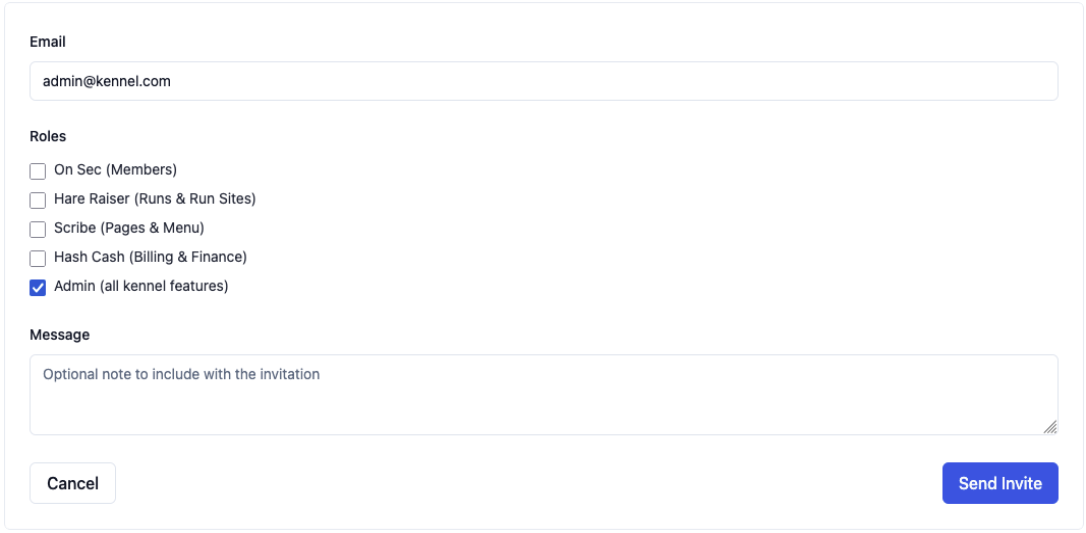
(image: invite user modal with email and roles selection)
¶ Manage existing users
- View & search: Filter by name, email, or role in the Users & Roles table.
- Status: Active users have accepted their invite. Pending users have not yet accepted.
- Edit roles: Use the edit action to change assigned roles at any time.
- Resend invite: For pending users, click resend to reissue the invitation email.
- Remove access: Use the delete action to revoke a user’s access to this kennel (their account can still belong to other kennels).

(image: users & roles table with search, roles filters, and actions)
¶ Tips
- Keep Owner/Admin limited to trusted maintainers.
- Use Scribe for site content/navigation without granting billing or membership control.
- Use Hash Cash for finance-only access; pair with Owner/Admin only when necessary.